I tried to update the firmware on my femto bolt and the update failed.
When I plug my camera back in, it is no longer recognized in the orbbec viewer and the power light flashes in white, despite the camera being correctly powered.
In front of the camera, the LED flashes between white and orange.
I tested my cable and it works correctly with my femto mega, but I don’t know how to get Windows to recognize it again…
Please power off the Femto Bolt, then restart the OrbbecViewer to see if the device can boot up properly. If it still doesn’t work, please try upgrading it again. If the issue persists, kindly send me the log files from the “Log” folder in the OrbbecViewer directory to my email address: zhonghong@orbbec.com.
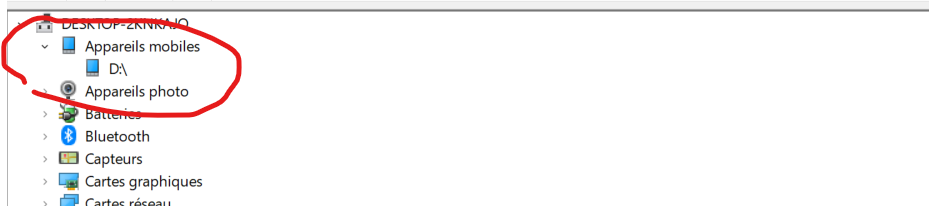
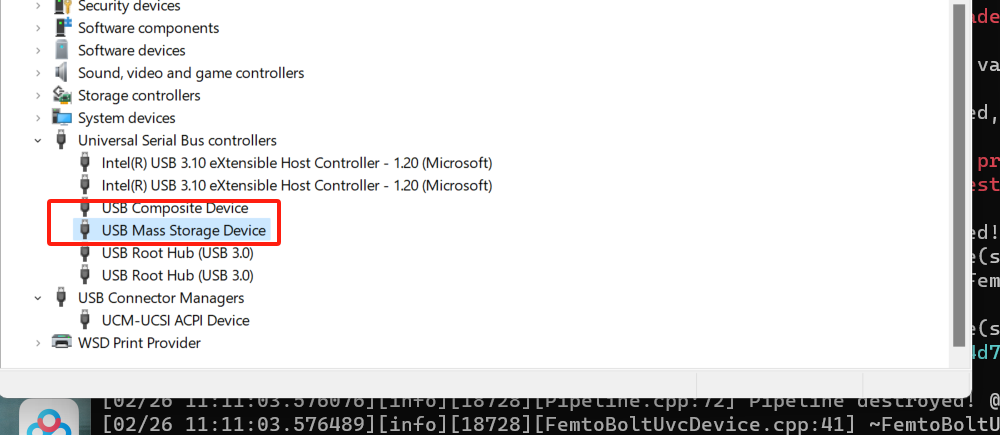
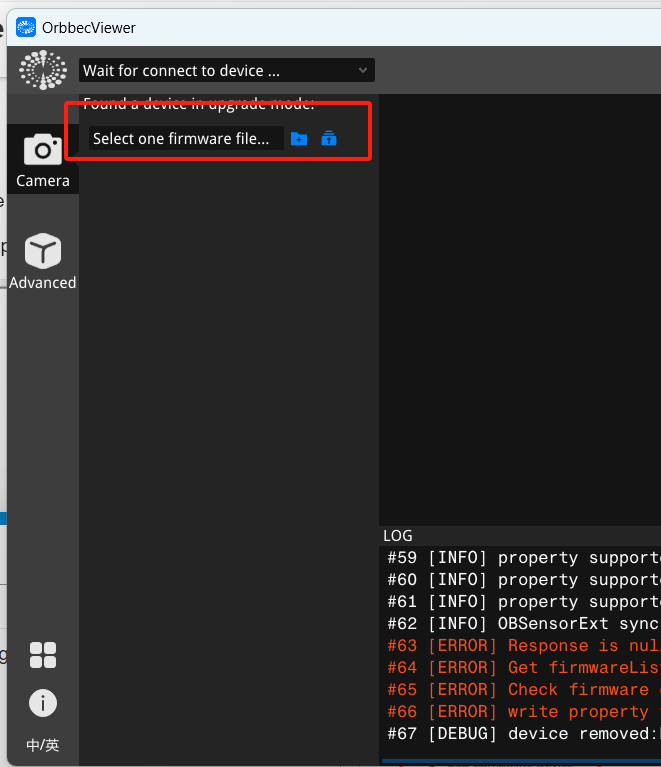
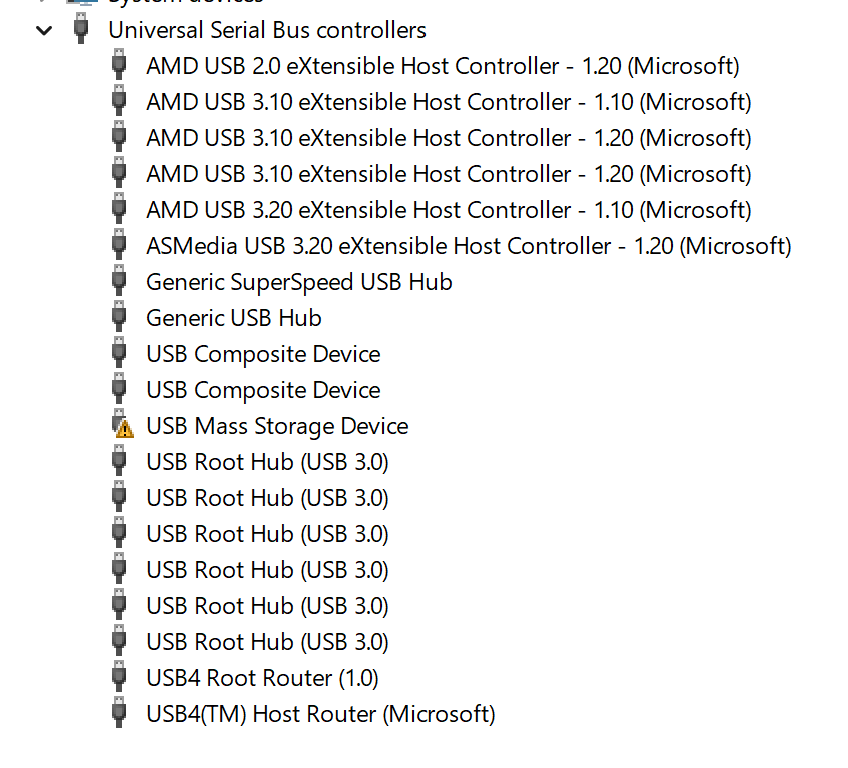
After normally opening the recovery mode, the device management should look like the picture. Then use the OrbbecViewer tool to select the firmware folder after decompression according to the image, and then click the upgrade button beside it to wait for the upgrade to complete.
Hello,
I correctly see the USB mass Storage Device in the device manager.
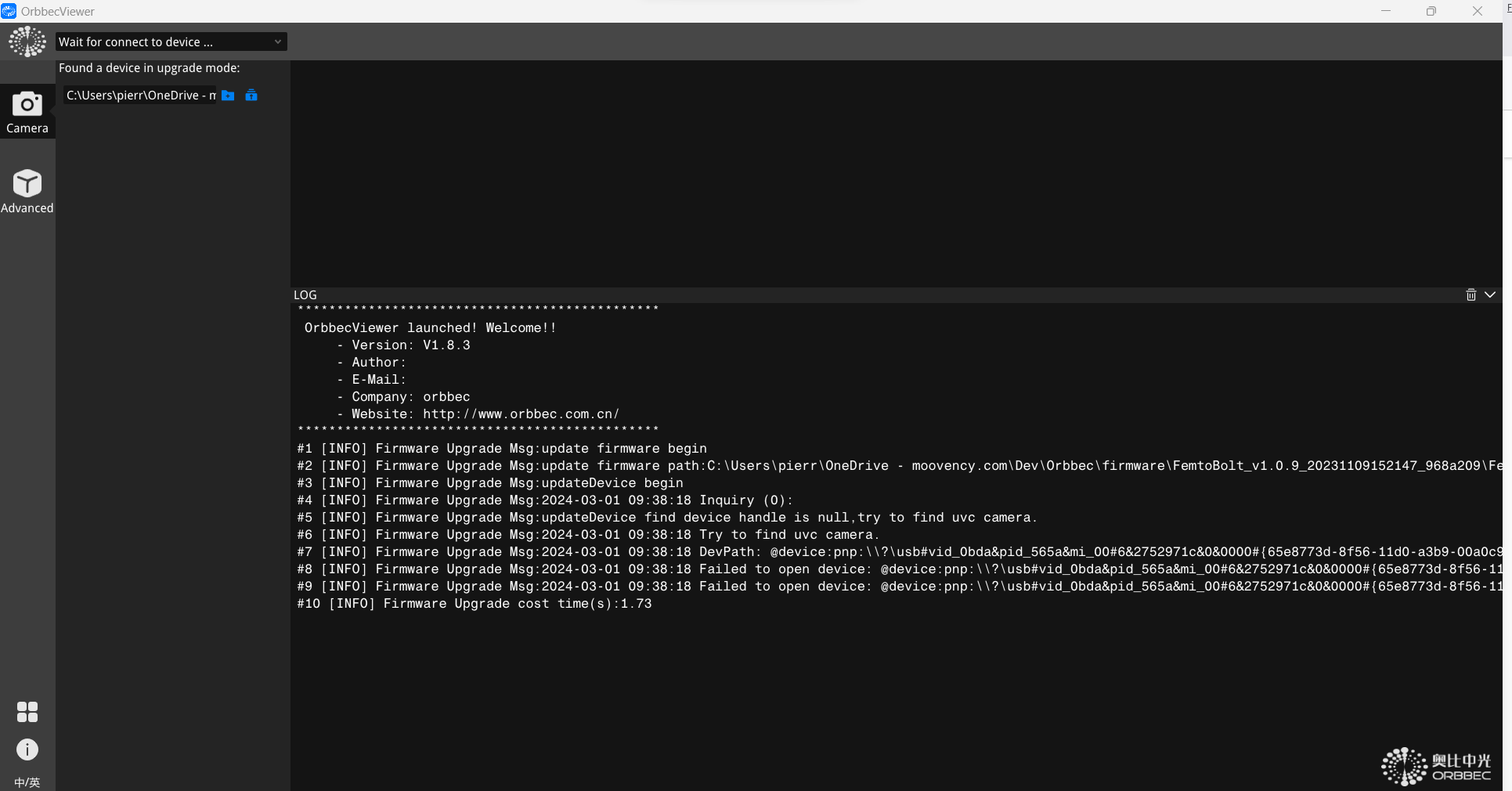
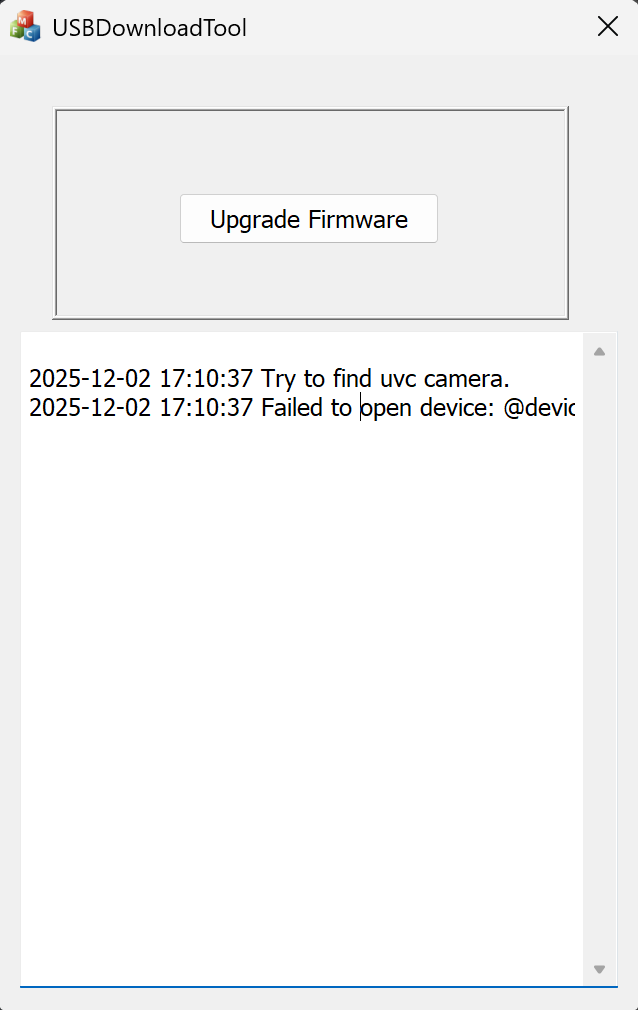
But when I try to upgrade in the OrbbecViewer tool, the upgrade fail, as you can see in the log below.
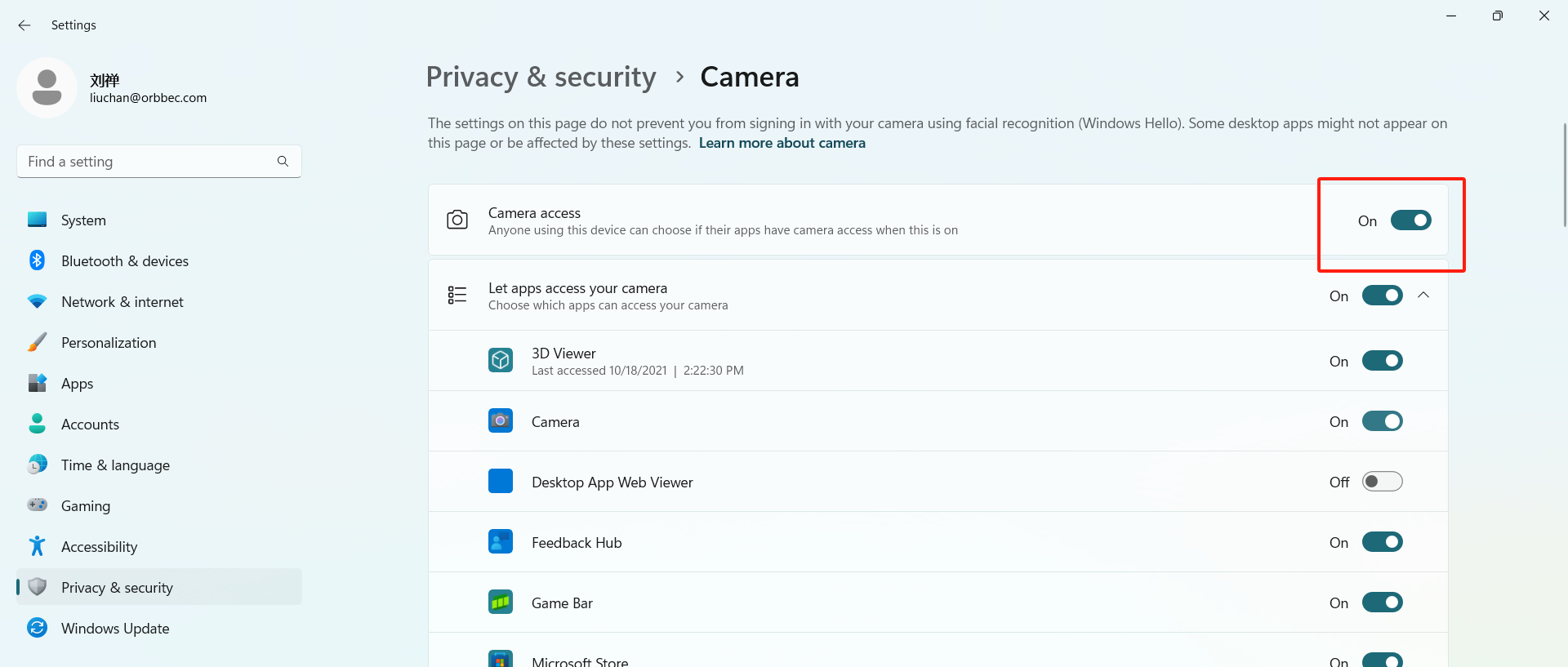
Please make sure that OrbbecViewer has access to the camera, which can be run with administrator privileges and enable camera privileges in the privacy settings like this:
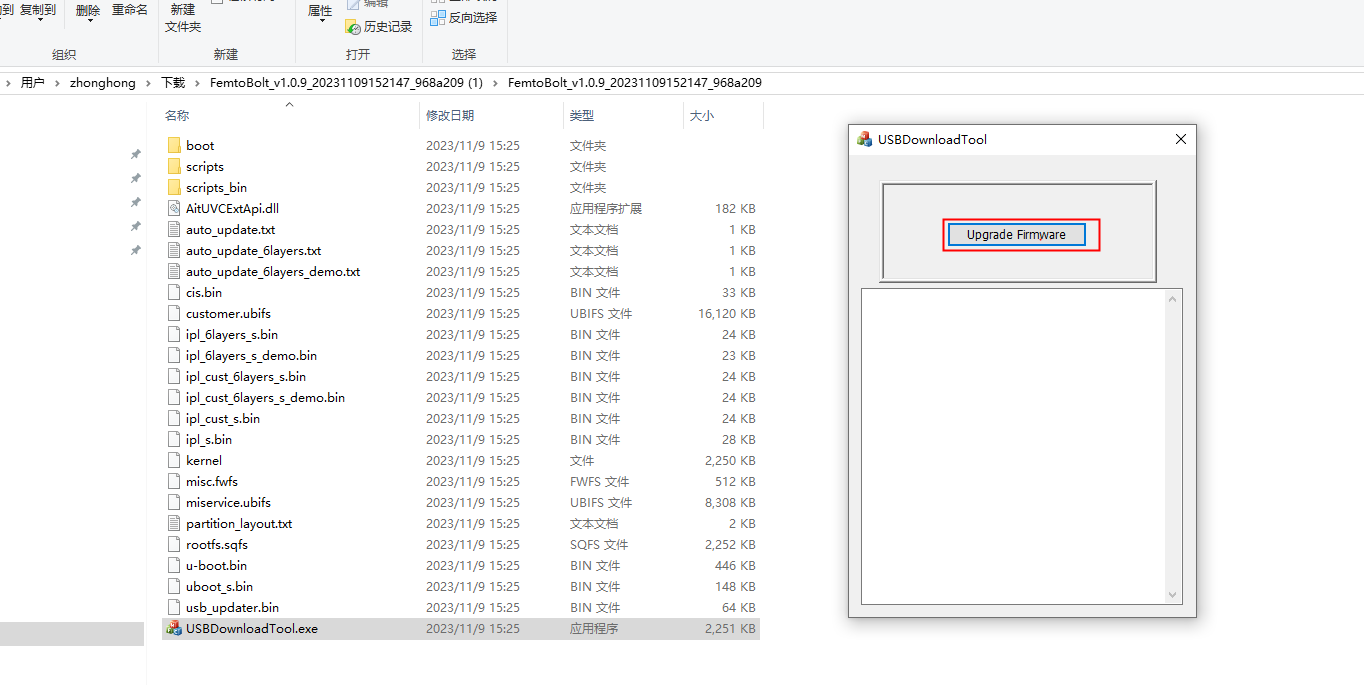
In the case where the device is recognized as a USB mass storage device, there is another upgrade method available. You can navigate to the upgrade package path and run the USBDownloadTool.exe directly. Then, click on “Upgrade Firmware.”
[EDIT1] Never mind. I power cycled the device and the computer and then it went into recovery mode (blinking alternating orange and white) so that OrbbecViewer could find it.
[EDIT2] I’ve now upgraded firmware on 6 Femto Bolt cameras. 2 of them was not appearing as expected in the Orbbec Viewer after being put in recovery mode. That is, until I power cycled the camera and the computer. After the upgrade they seem to work like the rest.
Original post:
I have the same issue, but the trick with using USBDownloadTool does not work.
The Femto Bolt arrived today with firmware version 1.0.9. I followed the instructions using the Orbbec Viewer to upgrade to 1.1.2 but the device was never found again in “upgrade mode”. The front LED is solid orange and solid white on the back. It’s using the power and usb cable that came in the box.
When I try using the USBDownloadTool it fails to find the device. In the Device Manager it’s listed as a Mass Storage device, but with a yellow warning sign.